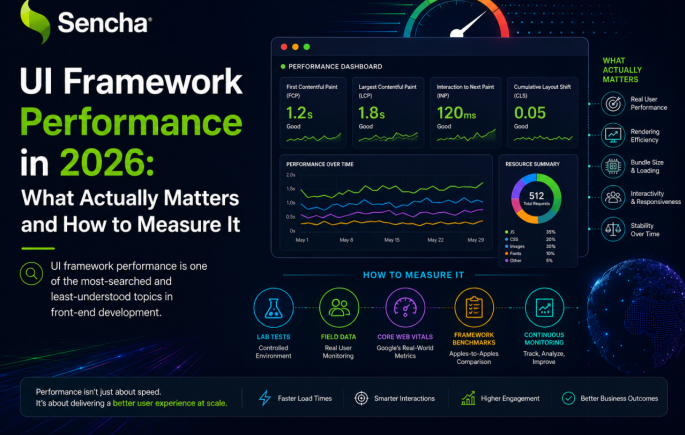

UI framework performance is one of the most-searched and least-understood topics in front-end development. The framework that wins a synthetic benchmark often does not win a real application, because performance is not a single number but a collection of capabilities measured against the application’s actual scenarios. This guide explains what UI framework performance actually means in 2026, the architectural choices that produce fast UIs, how each major framework approaches performance, and how to benchmark candidates honestly against the application you are building, rather than against demos and marketing claims.
Key Takeaways
- UI framework performance is not a single number; it covers initial load, runtime updates, memory behavior, and scaling under realistic load.
- Public synthetic benchmarks rarely predict real-world application performance because they test a narrow set of operations under unrealistic conditions.
- Architectural choices produce performance: compile-time optimization, fine-grained reactivity, native virtualization, and efficient update mechanisms each have measurable effects.
- Ext JS performs strongly on large data scenarios because the framework was built specifically for those workloads, with native virtualization and store-based data binding.
- Svelte and Solid produce strong synthetic-benchmark performance through compile-time and fine-grained reactivity approaches.
- React, Angular, and Vue perform competitively with the right state management, virtualization, and rendering strategies, though they require more assembly work.
The only reliable way to evaluate UI framework performance for a specific project is to benchmark candidates with the application’s actual data and update patterns.
What UI Framework Performance Actually Means
Most discussion of UI framework performance treats it as a single ranking, where one framework is fastest, and others are slower. This framing is misleading because performance is not one thing. A framework can be fastest for initial page load and slowest for runtime updates. It can render small lists efficiently but break down on large datasets. It can be lean at startup, but accumulate memory pressure across long sessions. Choosing a framework based on a single performance number often produces an application that performs well in the dimension that was measured and poorly in the dimensions that matter most for the actual application.
Four distinct dimensions cover most UI framework performance concerns, and any meaningful performance evaluation has to consider all four. Each dimension stresses frameworks differently, and the architectural choices that improve one dimension can hurt another. Understanding which dimensions matter for the specific application is the first step in any honest performance evaluation.
1. Initial load performance
Initial load covers the time from URL request to the user seeing a usable interface. The main contributors are JavaScript bundle size, network speed, browser parse time, framework hydration cost, and the time the framework takes to render the first meaningful content. For content-driven applications such as marketing sites, e-commerce product pages, and documentation, initial load is often the single most important performance dimension because users abandon pages that take too long to appear. Frameworks with small runtime overhead, strong tree-shaking, and efficient first-render strategies score well on this dimension. Compile-time frameworks such as Svelte produce smaller bundles than runtime-heavy alternatives, which directly affects initial load on slow connections.
2. Runtime interaction performance
Runtime interaction covers how quickly the application responds to user input after it has loaded. The Core Web Vitals metric, Interaction to Next Paint, which replaced First Input Delay in 2024, measures this dimension directly. Runtime performance depends on the framework’s update mechanism, how efficiently it identifies which parts of the UI need to change, and how much work it does on each interaction. Frameworks with fine-grained reactivity, such as Solid and Svelte 5 with runes, update only the specific DOM nodes that changed, which produces strong runtime performance. Frameworks with coarser update granularity require more careful application architecture to reach equivalent performance.
3. Large data and high update scenarios
Some applications display large datasets, receive frequent updates, or both. Trading platforms, monitoring dashboards, IoT data displays, and operational consoles all stress frameworks in ways that small applications do not. Performance in these scenarios depends primarily on virtualization (rendering only visible items rather than the entire dataset), update efficiency under continuous load, and memory discipline across long sessions. Frameworks with native virtualization and store-based data binding handle these scenarios more efficiently than frameworks where these capabilities depend on third-party libraries. Ext JS was built specifically for this category, which is why it tends to perform strongly on large-data and high-update scenarios while sometimes scoring less well on synthetic benchmarks that test small operations.
4. Memory and long-session behavior
Real users keep applications open for long sessions, sometimes for an entire workday. Memory behavior across these sessions affects whether the application stays responsive or gradually degrades. Frameworks that dispose of components and listeners correctly produce stable memory profiles, while frameworks with discipline gaps accumulate memory pressure that eventually requires browser restarts. This dimension rarely appears in synthetic benchmarks because they run for minutes rather than hours, but it matters significantly for production applications, particularly enterprise applications where users keep the same tab open all day. The framework’s architecture, the application’s coding patterns, and the discipline of the team all affect this dimension.
Why Public Benchmarks Rarely Predict Real Performance
Public benchmarks for UI frameworks exist, with the open-source JS Framework Benchmark at krausest/js-framework-benchmark being the most widely cited. These benchmarks provide useful comparative data, but they also mislead more often than developers realize because of how they are constructed and what they actually measure.
The first limitation is scope. Public benchmarks typically test a narrow set of operations, such as creating 1,000 rows, swapping two rows, selecting a row, and clearing the list. These operations cover one specific kind of work, primarily list rendering and update efficiency. They do not test data grid scrolling with virtualization, complex form rendering, chart updates, drag-and-drop interactions, or the dozens of other operations that real applications perform. A framework that wins these benchmarks is not necessarily faster in the operations that the actual application will run.
The second limitation is coverage. Many UI frameworks and component libraries are not in these benchmarks at all. Ext JS, Material UI, Ant Design, PrimeNG, and most enterprise-focused frameworks do not appear in the JS Framework Benchmark because they target use cases the benchmark does not test. This does not mean those frameworks are slower than the ones tested; it means they are designed for different scenarios, and the benchmark’s specific operations are not their primary workload. Drawing conclusions about frameworks not in the benchmark is unsupported.
The third limitation is conditions. Synthetic benchmarks run on specific hardware with specific browsers under specific conditions that rarely match production. Real users have different devices, different browsers, different network conditions, and different application states than benchmark environments. A framework that performs well in the benchmark’s specific conditions may perform differently in the conditions the actual application will face. The honest conclusion from any public benchmark is that the tested operations performed at the measured speed on that specific hardware in that specific configuration. Generalizing beyond that is speculation.
The Architectural Choices That Produce Fast UIs
Several architectural patterns consistently produce strong UI framework performance. Understanding these patterns helps explain why specific frameworks perform well in specific scenarios, and they appear repeatedly across the frameworks that benchmark well.
Compile-time optimization
Compile-time approaches do work at build time, unlike other frameworks, which do at runtime. Svelte is the strongest example: components compile to optimized JavaScript that does not require a virtual DOM or a runtime framework, which produces small bundles and efficient updates. The trade-off is building complexity, but for applications where bundle size and runtime efficiency matter, the gains are real and measurable. Compile-time optimization is the architectural choice that produces the smallest bundles and the lowest runtime overhead among modern frameworks.
Fine-grained reactivity
Fine-grained reactivity updates only the specific DOM nodes that need to change when state updates. Solid is the strongest example of this approach: its reactive primitives let the framework know exactly which DOM nodes depend on which pieces of state, so a state update propagates only to the affected nodes. Svelte 5 added runes, which provide similar fine-grained reactivity within Svelte’s compile-time model. This approach produces excellent runtime performance for applications with frequent updates, particularly when contrasted with virtual DOM frameworks that re-render larger component trees on each update.
Native virtualization
Virtualization renders only the visible portion of large datasets rather than the entire dataset. For applications displaying lists, tables, or grids with many rows, virtualization is the single most important performance technique. Ext JS includes native virtualization in its data grid and other components, which is why it handles large datasets efficiently without requiring third-party libraries. React, Angular, and Vue applications typically integrate libraries such as ag-Grid, TanStack Virtual, or react-window for the same capability, which works but adds operational complexity. The presence or absence of native virtualization is one of the strongest predictors of large-data performance.
Store-based data binding
Store-based data binding centralizes application state and propagates changes efficiently to the components that depend on it. Ext JS stores are an example: they handle data ingestion, change tracking, and propagation in one architecture, which scales well to applications with many data streams. Angular’s RxJS Observables provide similar capabilities through a different model. The architectural value is that components only re-render when the specific data they bind to actually changes, rather than when any state anywhere updates. For applications with complex data flow, this discipline matters significantly for performance.
Server-side rendering and resumability
Server-side rendering produces HTML on the server so the user sees content immediately rather than waiting for client-side JavaScript to execute. Resumable architectures, pioneered by Qwik, take this further by serializing application state into the initial HTML so the framework can resume execution only when the user interacts with specific components. These approaches produce excellent initial load performance and strong Core Web Vitals scores, particularly for content-driven applications. They are less relevant for applications that are already loaded and running, where runtime update performance matters more than initial load.
How Major UI Frameworks Approach Performance
Different UI frameworks approach performance differently, and the patterns are useful when matching a framework to an application’s specific scenarios. The summaries below describe each framework’s performance characteristics based on its architectural choices and design philosophy, rather than on synthetic benchmark numbers that depend on specific test conditions.
Ext JS
Ext JS is designed for data-intensive enterprise scenarios, and its performance characteristics reflect that design. Native virtualization in the data grid and other components handles large datasets without rendering invisible rows. Store-based data binding propagates updates only to components that depend on changed data. Memory discipline through the framework’s component disposal model produces stable behavior across long sessions. The framework tends to perform strongly on the scenarios it was built for, including data grids with many rows, dashboards with continuous updates, and applications kept open for entire workdays. On synthetic benchmarks that test small operations on simple lists, Ext JS often does not appear because the benchmark scenarios are not the framework’s primary workload. The framework’s component depth, with 140+ built-in components, also affects how performance shows up in practice: applications using Ext JS rarely need to assemble multiple third-party libraries, which removes a class of integration-related performance problems.
React
React’s virtual DOM provides a good baseline performance for most UIs, and recent versions added concurrent rendering features that improve handling of frequent updates. The framework’s performance ceiling is high but requires careful application architecture to reach: the choice of state management library, the use of memoization, the integration of virtualization libraries for large data, and the management of component re-renders all affect actual performance significantly. With careful tuning, React applications can perform competitively with any alternative for almost any scenario. The trade-off is that this tuning is real work, and applications without it often underperform their potential. For enterprise data scenarios where Ext JS components would help, ReExt lets React applications use Ext JS components without leaving React.
Angular
Angular’s performance has improved significantly with signals, which provide fine-grained reactivity that bypasses the change detection cycle that earlier versions relied on. The framework’s overall performance is competitive with React and Vue for typical applications, though bundle sizes tend to be larger, which affects initial load on slow networks. Angular’s structured architecture and dependency injection produce predictable performance characteristics, and the framework’s enterprise focus means it handles complex applications well. For large data scenarios, Angular applications typically pair with virtualization libraries such as ag-Grid, similar to React.
Vue
Vue’s reactivity system provides efficient updates with less boilerplate than some alternatives, and Vue 3’s Composition API has improved both developer experience and runtime performance. Bundle sizes are smaller than Angular, and runtime characteristics are competitive with React for most applications. For large data scenarios, Vue typically pairs with third-party virtualization, and the enterprise component ecosystem for very large data scenarios is smaller than React or Angular. For mid-size applications, Vue’s performance is competitive with any alternative.
Svelte
Svelte’s compile-time approach produces measurably smaller bundles and efficient runtime code. The framework consistently appears at or near the top of synthetic benchmarks because its architectural choices align with what those benchmarks measure. Svelte 5’s runes provide fine-grained reactivity that improves performance for applications with frequent updates. The trade-offs for enterprise work are a smaller ecosystem of components and patterns than the established alternatives, which means more custom work for applications that need extensive components or specialized libraries.
Solid
Solid’s fine-grained reactivity produces excellent runtime performance for applications with frequent state updates. The framework’s React-like JSX syntax keeps the learning curve manageable for teams with React experience. SolidStart, the meta-framework, provides server-side rendering and full-stack capabilities. The trade-offs for enterprise work are the smaller ecosystem and less institutional backing than the major frameworks, though the framework’s technical merits are real, and the community is growing.
Qwik
Qwik’s resumable architecture provides exceptional initial load performance by avoiding the JavaScript hydration overhead that affects most modern frameworks. For content-heavy applications where initial load matters most, this produces measurable advantages. Runtime performance after the initial load is competitive with other modern frameworks. The trade-off is that Qwik is newer than the established frameworks, so the ecosystem of components and patterns is still developing.
Performance Strengths by Framework
| Framework | Initial load | Runtime updates | Large data | Long sessions | Approach |
| Ext JS | Moderate | Strong | Very strong | Very strong | Native virtualization, stores |
| React | Good (with Next.js) | Strong with tuning | Library-dependent | Discipline-dependent | Virtual DOM + concurrent |
| Angular | Moderate | Strong with signals | Library-dependent | Strong | Change detection + signals |
| Vue | Good | Strong | Library-dependent | Strong | Reactivity proxies |
| Svelte | Very strong | Very strong | Library-dependent | Good | Compile-time + runes |
| Solid | Strong | Very strong | Library-dependent | Good | Fine-grained reactivity |
| Qwik | Very strong | Good | Library-dependent | Emerging | Resumable architecture |
How to Benchmark UI Frameworks for Your Application
The only reliable way to evaluate UI framework performance for a specific project is to test candidates with the application’s actual scenarios. A focused benchmark of two to five days produces better data than weeks of analysis of public benchmarks that test different scenarios.
Step 1: Identify the application’s performance-critical scenarios
Before testing anything, identify the specific scenarios where performance matters most for the application. For a trading platform, the critical scenarios might be a market data grid receiving many updates per second while the user scrolls and filters. For a content site, the critical scenario might be initial page load on mobile networks. For an internal dashboard, the critical scenario might be loading and rendering a complex multi-chart layout. The benchmark should test these specific scenarios, not generic operations, because the scenarios that matter for the actual application are the only ones whose performance affects the actual outcome.
Step 2: Build a focused proof of concept with each candidate
For each candidate framework, build a small proof of concept that exercises the application’s performance-critical scenarios. Use realistic data volumes, realistic update frequencies, and realistic component complexity. A proof of concept does not need to be the entire application; it needs to exercise the operations the actual application will perform most frequently or under the most pressure. Most commercial frameworks, including Ext JS, provide free trials that support substantive proof-of-concept work, and open-source frameworks need no license to evaluate.
Step 3: Measure the metrics that matter
Measure the metrics that align with the application’s user experience. Core Web Vitals, particularly Interaction to Next Paint, provide a standardized measure of runtime interaction performance. For initial load, measure Largest Contentful Paint and the total bundle size. For runtime, measure frame rate during the most demanding interactions and the time between user input and visual response. For memory and long sessions, measure memory growth across an hour or more of representative use. Use Chrome DevTools, Lighthouse, and the browser’s performance profiler for the measurements.
Step 4: Test under realistic conditions
Production users do not use flagship phones on gigabit fiber. Test under conditions that match the actual user base, including older devices, throttled networks, and the browsers the user base actually uses. Chrome DevTools provides device emulation and network throttling that approximates these conditions, though real device testing produces better data when it is available. Performance results from developer hardware on fast networks rarely predict production behavior, and many performance regressions only become visible under realistic conditions.
Step 5: Compare results honestly
Document the methodology and the results. Note where each candidate scored well and where each scored poorly. Be honest about the trade-offs: a framework that performed best on initial load may have performed worst on large data, and the right choice depends on which scenarios matter most for the actual application. Performance is rarely the only criterion in a framework decision, so document how the performance results integrate with the other criteria the team is evaluating. A documented performance evaluation supports the decision and provides a reference if the choice needs to be revisited later.
Common Performance Evaluation Mistakes
Several patterns consistently produce poor performance evaluations. Recognizing them helps avoid the most common analytical errors.
The first common mistake is treating performance as a single number. A framework that wins one benchmark may lose another, and the framework that wins the benchmark that matches the application’s actual workload is the one whose performance will affect the user experience. Single-number framework comparisons rarely reflect the multidimensional reality of UI performance.
The second common mistake is generalizing from synthetic benchmarks to real applications. The operations tested in public benchmarks may not match the operations the actual application performs, and a framework that wins the benchmark may not win the application’s specific workload. Public benchmarks provide useful comparative data for the operations they test; generalizing beyond that is unsupported.
The third common mistake is testing on developer hardware. Developer hardware is faster, has more memory, and uses faster networks than the average production user. Performance results from developer machines often look better than production results, and the gap can be significant. Realistic device and network conditions are essential to honest performance evaluation.
The fourth common mistake is ignoring long-session behavior. Synthetic benchmarks run for minutes, not hours. Real users keep applications open for entire workdays, and the cumulative effect of small memory and rendering inefficiencies that are invisible in short tests can become significant across long sessions. Performance evaluation should include at least one extended session test before committing to a framework for an application that users will keep open for hours.
Conclusion
UI framework performance in 2026 is a multidimensional capability rather than a single ranking, and the framework that performs best depends on the application’s specific scenarios. Initial load, runtime interaction, large data handling, and memory across long sessions all stress frameworks differently, and the right choice depends on which dimensions matter most for the actual application. Public benchmarks provide useful comparative data within their scope, but rarely predict real application performance because their test scenarios differ from real workloads.
For data-intensive enterprise applications where large datasets, frequent updates, and long sessions are the dominant performance scenarios, frameworks built specifically for those workloads consistently perform well. We built Ext JS for exactly this profile, with native virtualization, store-based data binding, and the memory discipline that long-running enterprise applications require. For consumer applications, content-driven sites, and other scenarios, frameworks with different architectural priorities, including Svelte, Solid, Qwik, and React with Next.js, perform well on the dimensions that matter for those workloads.
Teams evaluating UI frameworks for performance can start a free Ext JS trial to benchmark the framework against their own data, update patterns, and session profiles, which is the only reliable way to know how any framework will perform for the specific application being built.
Frequently Asked Questions
What is the fastest UI framework in 2026?
There is no single fastest UI framework, because performance has multiple dimensions and different frameworks excel at different ones. Svelte and Solid consistently produce strong synthetic-benchmark performance through compile-time and fine-grained reactivity. Qwik produces exceptional initial load performance through its resumable architecture. Ext JS handles large data scenarios efficiently through native virtualization. React, Angular, and Vue all perform competitively with careful application architecture. The framework that will be fastest for a specific application depends on which performance dimensions matter most for that application.
Are public UI framework benchmarks reliable?
Public benchmarks such as JS Framework Benchmark provide useful comparative data for the operations they test, but they have meaningful limitations. They test a narrow set of operations under specific conditions. They cover only a subset of UI frameworks. They run for short durations that do not capture long-session behavior. They use specific hardware and browsers that may not match production. Treat them as one data source among many, not as a final ranking of framework performance. The most reliable performance data for a specific project comes from benchmarking candidate frameworks with the project’s actual scenarios.
Why is Ext JS not in popular benchmarks?
Most popular benchmarks test scenarios that are not Ext JS’s primary workload. The JS Framework Benchmark tests creating 1,000 rows, swapping rows, selecting rows, and clearing lists, which are operations more relevant to simple list rendering than to the data grids with virtualization, complex forms, and dashboard layouts that Ext JS is built for. The benchmark’s coverage decisions reflect what its maintainers choose to test, not the relative performance of frameworks not included. For applications that stress the kinds of workloads Ext JS is built for, evaluation should use scenarios that exercise those workloads rather than the benchmark’s specific operations.
How important is bundle size for UI performance?
Bundle size matters significantly for initial load, particularly on mobile networks and slower connections. A large bundle can take many seconds to download on a constrained network, delaying the user’s first interaction with the application. Bundle size matters less for runtime performance once the application has loaded, where update efficiency and rendering speed matter more. For content-driven applications, prioritize bundle size highly; for applications that users keep open for long sessions, runtime performance matters more than the initial download.
Does the choice of UI component library affect performance?
Yes, significantly. Component libraries vary in their virtualization support, their rendering efficiency, their memory behavior, and their bundle impact. A framework’s baseline performance can be substantially affected by the components it uses. For data-intensive applications, components with native virtualization (such as Ext JS components or ag-Grid Enterprise) perform dramatically better than components that render entire datasets at once. When evaluating a UI framework’s performance, evaluate the components the application will actually use, not just the framework’s core.
How do I measure UI framework performance in my application?
Use the browser’s built-in performance tools combined with Core Web Vitals metrics. Chrome DevTools provides a performance profiler that records JavaScript execution, rendering, and painting across user interactions. Lighthouse provides automated audits, including Core Web Vitals scores. The browser’s memory profiler tracks memory growth across long sessions. For ongoing monitoring, real-user monitoring tools collect performance data from production users, which is more representative than developer-machine measurements. Combine these tools to build a comprehensive picture of how the application performs in practice.
What is Interaction to Next Paint and why does it matter?
Interaction to Next Paint is a Core Web Vital that measures the time from a user interaction (such as a click or tap) to the next visual update on the page. It replaced First Input Delay as a Core Web Vital in 2024 because it captures the full responsiveness of the page rather than only the first interaction. Lower INP scores indicate more responsive applications. For UI framework selection, INP is one of the most useful metrics because it directly measures the user experience the framework produces under interaction load.
How does Ext JS perform compared to React for enterprise applications?
For data-intensive enterprise scenarios, Ext JS tends to perform strongly because the framework was built for those workloads with native virtualization, store-based data binding, and memory discipline as first-class features. React applications can reach similar performance, but doing so requires assembling and tuning multiple libraries for virtualization, state management, and rendering efficiency. The choice often comes down to whether the team prefers a comprehensive framework with built-in capability (Ext JS) or a flexible framework that requires assembly (React). For React teams that need Ext JS components without leaving React, ReExt provides access to the framework’s components inside an existing React application.
How long should a UI framework performance evaluation take?
For most projects, a focused performance evaluation takes two to five days per candidate framework. This includes building a proof of concept with the application’s performance-critical scenarios, measuring performance under realistic conditions, and documenting the results. Quick evaluations of a few hours are useful for narrowing the field, but rarely produce confidence for a final decision. Deeper evaluations of weeks are usually appropriate only when the application has unusual performance requirements that need extensive validation.
Can I improve UI framework performance after launch?
Yes, often significantly. Common post-launch performance improvements include code splitting to reduce initial bundle size, virtualization for any large lists or tables, memoization to prevent unnecessary re-renders, lazy loading for components that are not immediately visible, and elimination of memory leaks in long-running components. The cost of these improvements is real but typically much smaller than choosing a different framework. The performance ceiling of any framework can usually be raised through careful application optimization, though the choice of framework affects how much work is required to reach acceptable performance.