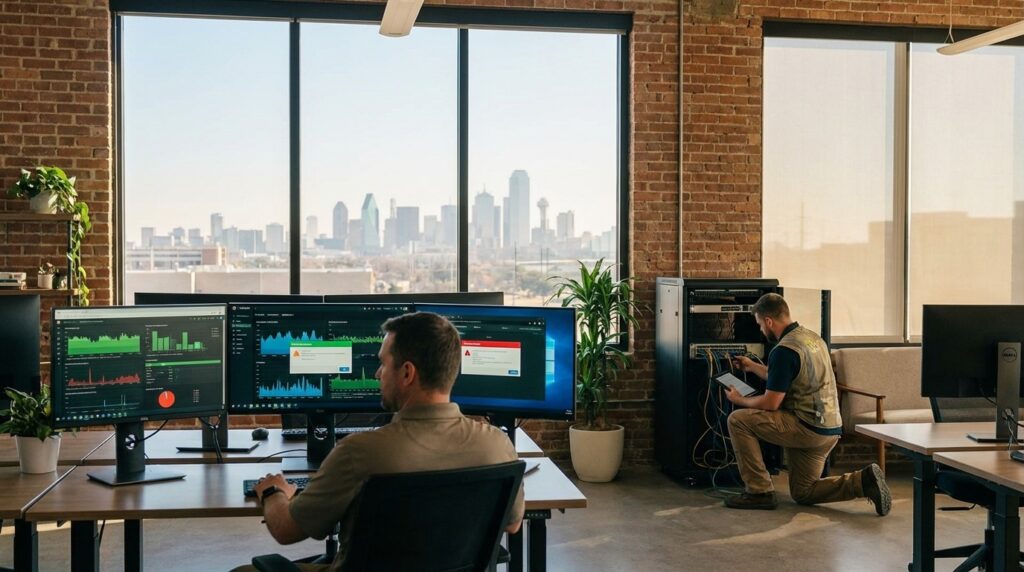

Remote IT support can solve many issues quickly. A password reset, a software glitch, or a patch deployment often happens faster through a remote help desk than waiting for someone to drive across town. But when the internet is down, Wi-Fi coverage is inconsistent, or a firewall fails before a busy workday, “local” becomes more than a preference. It becomes the difference between a short disruption and a lost day of revenue.
Texas SMBs, especially in growth markets like Denton and across DFW, are re-evaluating whether remote-only support is enough. The answer is usually not either-or. It is understanding when local presence makes a measurable difference.
Why This Question Is Coming Up More for Texas SMBs
Texas businesses are operating in a more complex technology environment than they were even five years ago. Cloud platforms, VoIP systems, file-sharing tools, remote access solutions, and industry-specific apps are layered together. Vendor sprawl is common. A single outage may involve an ISP, a firewall, Microsoft 365, and a third-party application.
In Denton, where economic development and business growth continue to shape new office expansions and relocations, these changes create more physical IT touchpoints. Renovated spaces, shared buildings, and multi-tenant internet lines introduce real-world infrastructure challenges. When a network closet overheats or a carrier demarcation point fails, remote-only support quickly hits a ceiling.
The shift is not about abandoning remote tools. It is about recognizing that physical infrastructure still underpins digital workflows.
What Remote-First IT Support Does Best
Remote-first support excels at speed and scale. A structured help desk with defined SLAs can acknowledge and begin triage within minutes. Centralized monitoring allows providers to patch systems, deploy updates, and identify failing drives before users even notice symptoms. Standardized device builds reduce configuration drift and keep troubleshooting consistent.
For many day-to-day issues, remote resolution is the most efficient path. Password resets, MFA configuration, email routing problems, and routine patching rarely require someone onsite. Proactive monitoring and maintenance also reduce the number of emergency calls in the first place.
This model is especially effective for hybrid teams across DFW, where employees work from multiple locations. Centralized tools keep distributed devices aligned without constant travel. Remote support is powerful. It just is not complete by itself.
Where Local Presence Still Wins (The “Hands-On” List)
Certain problems are inherently physical. An ISP outage at the building demarc requires coordination with the carrier and access to wiring. A failing firewall or switch must be replaced onsite. Wi-Fi dead zones in a renovated downtown office require a proper survey, not guesswork from afar. Cabling issues, hardware swaps, and secure device disposal demand hands-on execution.
This is where relationships matter. In areas like Pecan Creek and surrounding Denton neighborhoods, businesses often rely on providers who understand building layouts, local carriers, and property managers. That familiarity reduces downtime when coordination is needed. For example, many firms value local managed IT support for Pecan Creek businesses because escalation is not just a ticket number, it is a call to someone who can physically show up and resolve the issue.
Remote triage plus local escalation shortens outages dramatically compared to remote-only troubleshooting.
Local + Security: Response Speed Is a Control, Not a Convenience
Security incidents are not theoretical. Verizon’s 2025 Data Breach Investigations Report notes ransomware was present in 44 percent of breaches reviewed. When an account is compromised or suspicious activity is detected, speed determines impact.
Fast containment may include locking compromised accounts, isolating endpoints, reviewing logs, and coordinating with affected vendors. While much of this can begin remotely, onsite access can become critical if network segmentation needs adjustment, hardware must be inspected, or physical devices are involved.
Local availability strengthens incident response. It reduces the lag between detection and decisive action. In that sense, response time is not just a service metric. It is part of the security posture itself.
Accountability and Vendor Coordination in the Real World
Outages rarely involve a single system. An internet slowdown might involve the ISP, internal switches, and a cloud application. VoIP issues can span carrier routing, firewall policies, and handset configurations. Without clear ownership, vendors often point fingers.
A local partner can coordinate onsite with carriers and building management while managing remote diagnostics simultaneously. Having one accountable team to oversee escalation simplifies communication and reduces business disruption.
Documentation also matters. Up-to-date network diagrams, credential vaults, and vendor escalation contacts allow faster resolution. A provider embedded in the local business community often maintains stronger relationships with regional carriers and service teams, making coordination smoother. The value of “local” shows up most clearly when something complex breaks.
Costs, Coverage, and SLAs: How to Compare Providers Fairly
When comparing local, remote, or hybrid IT providers, cost alone should not drive the decision. Break/fix support may appear cheaper upfront, but emergency rates, extended downtime, and inconsistent response can quickly erase savings. A predictable managed services model often includes defined help desk SLAs, proactive monitoring, patch management, and backup oversight.
Ask specific questions. What is the response time for critical issues? Are severity levels defined? Is there after-hours or weekend coverage? How quickly can someone be on-site if hardware fails? Are backup restore tests included, or only backup monitoring?
Coverage depth matters as much as price. A provider that includes vendor coordination, documented escalation paths, and tested recovery procedures delivers more operational stability than one that simply answers tickets. Texas SMBs should evaluate providers on clarity, process maturity, and accountability not just monthly cost.
A Practical Decision Framework: Remote-Only, Local-Only, or Hybrid
Most Texas SMBs do not need a technician sitting on-site every day. They also should not rely solely on a remote provider who cannot respond physically when infrastructure fails. The most resilient model is typically remote-first and local-ready.
Remote-first means help desk triage, proactive monitoring, patch management, and cloud administration are handled efficiently from a centralized team. Local-ready means defined onsite response times for network hardware, ISP demarc issues, Wi-Fi optimization, office moves, and secure hardware handling.
Professional services firms with heavy meeting schedules may prioritize fast escalation and Wi-Fi reliability. Healthcare and retail businesses often require immediate onsite support for network or payment disruptions. Construction and engineering firms may need hybrid support for both office and field equipment.
Texas law also reinforces the need for structured incident response. Under Texas breach notification requirements, businesses must respond properly when personal data is compromised. Choosing a provider with clear response ownership and documented processes supports compliance readiness as well as uptime.
The Real Differentiator: Process, Not Geography
It is easy to frame the decision as local versus remote, but geography alone is not the true differentiator. Process maturity is. A provider with documented SLAs, severity tiers, backup restore testing, patch management tracking, and vendor escalation procedures will outperform a loosely organized local technician. At the same time, a remote-only provider without physical escalation capabilities may struggle during infrastructure failures.
The strongest IT support models combine structured remote monitoring and help desk systems with the ability to act on-site when needed. That combination supports uptime, security containment, and business continuity planning.
For growing markets like Denton and the broader DFW region, where office expansions, renovations, and vendor density are common, that balance matters even more.
Practical Selection Checklist for Texas SMBs
Before choosing a provider, use a clear comparison checklist:
- Are response SLAs documented with acknowledgment and resolution targets?
- Is there defined onsite response availability within a specific timeframe?
- Is after-hours or on-call support included?
- Do they coordinate directly with ISP, VoIP, and SaaS vendors during outages?
- Is MFA enforced for admin access, and are remote sessions logged?
- Are patch management and endpoint protection measured and reported?
- Are backups tested with restore drills, not just monitored?
- Is documentation maintained, including network maps and vendor lists?
- Can they support office moves and Wi-Fi coverage planning?
- Is there a clear incident response owner for containment and communication?
These questions shift the conversation away from marketing language and toward operational reliability.
The Texas SMB Perspective: Local Still Matters
Texas SMBs are practical. They value relationships, accountability, and clear communication. Remote tools have transformed how IT support is delivered, and they remain essential for speed and efficiency. But when a firewall fails, an ISP line goes down, or a Wi-Fi coverage issue disrupts client meetings, physical presence and local coordination still matter.
The strongest managed IT model for Denton and DFW businesses is rarely purely local or purely remote. It is structured, documented, remote-first, and locally responsive. That blend reduces downtime, strengthens security posture, and supports business continuity in real-world conditions.
For Texas SMBs weighing their options, the right question is not “local or remote?” It is “who can respond fastest, coordinate best, and restore operations with the least disruption?”