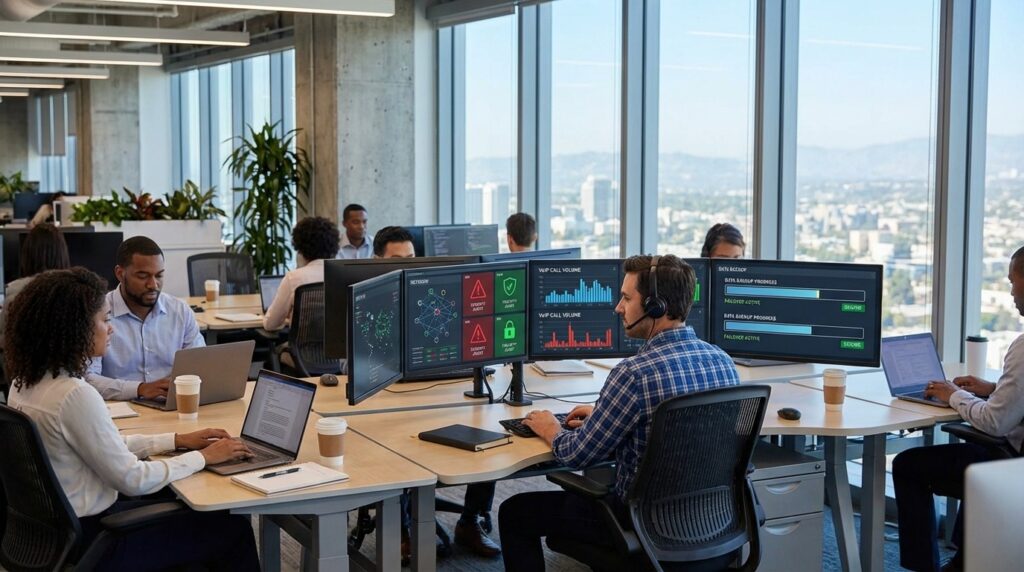

Downtown offices in California operate in high-expectation environments. Clients are scheduled back-to-back, phones never stop ringing, and cloud systems power nearly every task. When connectivity slows, Wi-Fi drops, or a security incident hits, work does not pause — it compounds.
Reliable IT in a downtown setting is not about owning the latest tools. It is about building a three-part system that holds under pressure: connectivity with failover, security that protects without disrupting workflows, and support that responds fast when issues arise.
This guide breaks down the practical reliability framework California downtown offices can use to prevent disruptions and recover quickly when problems occur.
Why Downtown Offices Have Less Tolerance for IT Disruptions
Downtown offices don’t get to pause when IT fails. Clients are waiting, phones keep ringing, and deadlines don’t move. In places like Downtown Fresno, a slow internet connection during morning meetings or a VoIP outage before a client call can ripple across the entire day. Professional services firms lose billable hours. Healthcare-adjacent clinics face scheduling chaos. Real estate teams miss time-sensitive communications.
Industry surveys consistently show downtime can cost organizations hundreds of thousands of dollars per hour, which explains why reliability is no longer optional. That’s why many firms evaluate redundancy, endpoint protection, and fast escalation processes, similar to what’s outlined in this look at managed IT support for Downtown Fresno firms. Reliability today is about preparation, not reaction.
Connectivity First: How to Avoid Single Points of Failure
Most downtown disruptions begin with connectivity. A single ISP line, aging firewall, or misconfigured router becomes a hidden bottleneck. When that one link fails, email stalls, cloud apps lag, and VoIP calls drop simultaneously.
A practical ISP failover plan should include a documented secondary connection or cellular backup, properly configured firewall failover rules, and a simple “internet down” workflow that staff can follow. Offices should also confirm how VoIP systems behave during outages, including automatic call forwarding or mobile failover options.
Connectivity resilience is not about buying the most expensive circuit. It’s about removing single points of failure and testing what happens when something breaks. If a team cannot explain what occurs during an outage, that gap is a reliability risk waiting to surface.
Wi-Fi and Network Hygiene for Busy Offices
Downtown environments are dense. Shared buildings, multiple tenants, and meeting-heavy schedules create constant Wi-Fi strain. Poor segmentation or overloaded access points can cause dropped calls, frozen video meetings, and slow file uploads at peak times.
Network hygiene begins with segmentation. Guest Wi-Fi should be separated from staff systems and payment or practice-management tools. Capacity planning matters as well. A growing office that adds devices without reviewing wireless coverage may see performance degrade gradually until it becomes disruptive.
Basic monitoring also plays a role. Proactive monitoring and maintenance allow teams to see bandwidth spikes, failing hardware, or unusual activity before users feel the impact. Combined with clear documentation of network layouts and access credentials, these fundamentals prevent confusion when troubleshooting becomes urgent.
Security That Protects Workflows Without Slowing Teams Down
Security cannot become a productivity obstacle, but it must be present everywhere work happens. Email is typically the front door for downtown firms. Multi-factor authentication for Microsoft 365 or Google Workspace, strong admin controls, and role-based access significantly reduce exposure.
Endpoint protection and EDR tools extend that protection to laptops and desktops, especially in hybrid offices. According to Verizon’s 2025 Data Breach Investigations Report, ransomware was present in 44 percent of breaches reviewed. That statistic reinforces a simple point: containment speed matters.
Phishing reporting paths should be clear and immediate. Staff need to know how to escalate suspicious activity without hesitation. When identity controls, endpoint security, and monitoring work together, downtown offices gain protection that operates quietly in the background instead of interrupting daily operations.
Backups and Recovery Testing That Actually Restore
Many downtown offices say, “We have backups,” but few regularly test whether those backups restore within acceptable timeframes. Backup and disaster recovery testing is what turns a safety net into a real continuity plan.
Start with plain-English definitions. RPO determines how much data you can afford to lose. RTO defines how quickly systems must return. For a downtown legal or accounting office, email and document access may need near-immediate restoration. For a secondary archive system, a longer window may be acceptable.
Cloud sync is not the same as backup. If ransomware encrypts files, synchronized folders can replicate that encryption. Regular restore drills, both file-level and full-system, confirm integrity and timing. Teams should record the last restore test date and compare actual recovery times against defined RTO targets to verify readiness.
Support Model Matters: SLAs, Escalation, and Vendor Coordination
Even the best connectivity and security controls can fail without structured support behind them. Downtown reliability depends on response times, escalation paths, and vendor accountability.
Clear service level agreements define how quickly urgent issues are acknowledged and resolved. Severity levels should outline what qualifies as a critical outage versus a routine request. After-hours support matters for offices that operate beyond standard business hours or rely on early-morning client calls.
Vendor coordination is often overlooked. When issues involve an ISP, VoIP provider, and cloud application simultaneously, finger-pointing wastes valuable time. A single point of accountability that manages vendor communication reduces downtime dramatically. Reliability improves when escalation contacts are documented and decision owners are clearly identified before a crisis occurs.
The Downtown Reliability Checklist California Teams Can Run Quarterly
Downtown offices benefit from a repeatable review cycle. A quarterly reliability check keeps connectivity, security, and support aligned with business growth.
Connectivity
- ISP failover method documented and tested
- VoIP fallback or call-forwarding plan confirmed
- Network diagram reviewed and updated
Security
- MFA enabled for all email and admin accounts
- Admin accounts reviewed; least privilege enforced
- Patch compliance tracked for operating systems and key apps
- Endpoint protection deployed on all devices
- Phishing reporting process tested
Recovery
- Backups verified and last restore test date recorded
- Restore timed against RTO targets
- “Cloud sync isn’t backup” reviewed with leadership
Support and Process
- Monitoring alerts reviewed weekly
- Vendor escalation contacts confirmed (ISP, VoIP, SaaS)
- Incident response first-hour steps documented
- Quarterly tabletop drill completed
Downtown reliability is not about having the most advanced tools. It is about connectivity with a fallback, security that contains threats quickly, and support that responds with structure and speed. When those three pillars align, California downtown offices can operate confidently, even when disruptions inevitably occur.