
Your server crashes at 10 AM on Monday. Email stops working. Customer orders pile up unprocessed. Every minute costs revenue, and nobody knew anything was wrong until employees started complaining. Reactive IT support means waiting for disasters, then scrambling to fix them.
Proactive monitoring flips this equation. Automated systems watch your infrastructure around the clock, catching problems before they disrupt your business. Understanding what to monitor and why it matters separates businesses that thrive from those constantly fighting fires.
What Proactive IT Monitoring Actually Means
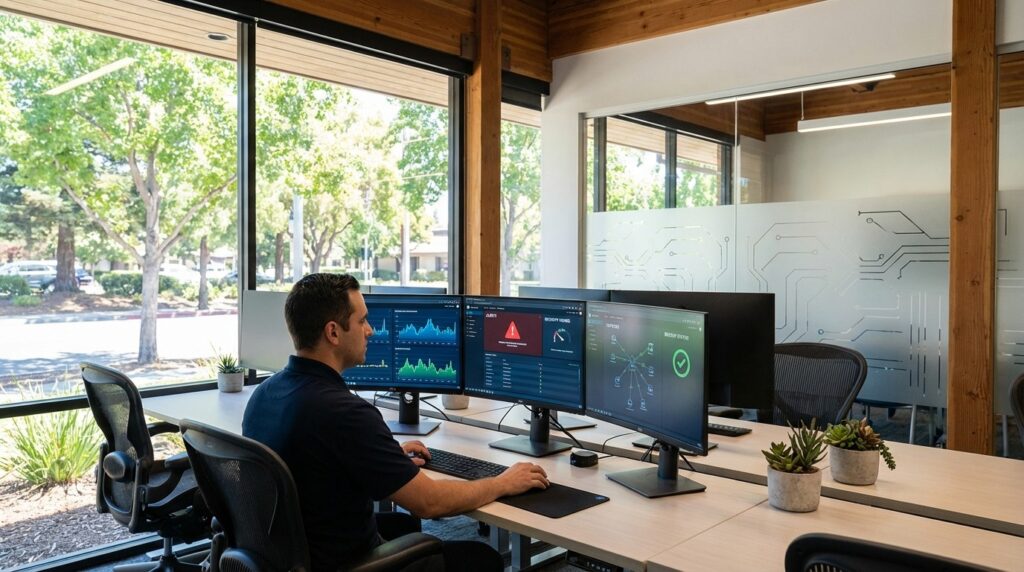
Proactive IT monitoring uses automated tools to continuously track the health of servers, networks, applications, and security systems. Software agents installed on your infrastructure collect performance data and send alerts when metrics exceed safe thresholds. This approach detects issues before users notice problems.
Reactive support waits for something to break, then responds. You call the help desk after an email crashes or the network slows to a crawl. Recovery takes hours or days, and the damage already happened. Proactive monitoring identifies warning signs days or weeks early. A hard drive showing early failure symptoms gets replaced during normal business hours, not during an emergency shutdown.
Real-time alerts notify technicians the moment anomalies appear. High CPU temperature, low disk space, failed backup jobs, or unusual network traffic all trigger immediate investigation. Issues get fixed during maintenance windows instead of during critical business operations.
Many Orange County businesses implementing proactive managed IT in Foothill Ranch report preventing outages that would have cost thousands in lost productivity and emergency repairs. Business continuity depends on technology that works consistently without surprise failures.
Server and System Performance Metrics
CPU utilization reveals how hard your servers work. Sustained high CPU usage indicates applications consuming too many resources or systems approaching capacity limits. Monitoring tracks both current usage and trends over time. A gradual increase suggests you need hardware upgrades before performance degrades.
Memory usage shows whether servers have enough RAM for running applications. When memory fills up, systems start using disk space as virtual memory, which runs far slower. Applications crash when memory runs out completely. Alerts notify technicians before memory exhaustion stops operations.
Disk space monitoring prevents the catastrophic failures that occur when drives fill completely. Databases stop accepting transactions, log files cannot write, and email systems reject messages. Tracking disk space consumption patterns predicts when drives will reach capacity, allowing cleanup or expansion before problems start.
Application performance metrics measure response times and error rates. Slow database queries, hung processes, and memory leaks all appear in performance data before they crash systems. Monitoring detects these issues early.
Baseline establishment defines normal operation for your specific environment. Every business uses technology differently. Monitoring tools learn typical CPU usage, memory patterns, and disk activity during regular operations. Deviations from these baselines trigger alerts even when metrics remain within generic thresholds.
A server normally using thirty percent CPU suddenly jumping to eighty percent deserves investigation, even though eighty percent is not traditionally alarming. Predictive maintenance replaces components before they fail, scheduled during convenient times rather than emergency situations.
Network Health and Security Indicators
Bandwidth utilization tracking shows whether your internet connection can handle current demands. Video conferences, cloud application access, and large file transfers all consume bandwidth. When utilization approaches capacity, performance degrades for everyone. Monitoring identifies bandwidth bottlenecks and guides upgrade decisions.
Network latency measures the time data takes to travel across your network. High latency makes applications feel sluggish, video calls stutter, and cloud services respond slowly. Packet loss occurs when network devices drop data during transmission. Even small amounts of packet loss disrupt voice and video communications. Tracking these metrics maintains quality user experiences.
Failed login attempts signal potential security threats. Multiple failed attempts from the same account might indicate a compromised password or brute force attack. Monitoring these patterns enables rapid response before unauthorized access succeeds.
Firewall and security log monitoring detects suspicious activity. Blocked connection attempts, malware signatures, and policy violations all appear in security logs. Automated analysis identifies patterns that indicate attacks in progress.
Unusual traffic patterns reveal problems ranging from malware infections to DDoS attacks. A workstation suddenly uploading gigabytes of data might be exfiltrating stolen information. A spike in inbound traffic could signal an attack. Network monitoring provides dual benefits: performance optimization and security threat detection, protecting both user experience and business data.
Security and Compliance Tracking
Patch management monitoring tracks whether critical security updates get applied promptly. Unpatched systems create vulnerabilities that hackers exploit. Monitoring shows which servers and workstations need updates, which patches failed to install, and how long systems remain unprotected. California businesses face regulatory requirements that mandate timely patching for systems handling customer data.
Antivirus and endpoint protection status confirms security software runs correctly on every device. Outdated virus definitions, disabled scanning, or failed updates leave systems exposed. Automated monitoring alerts technicians when protection lapses on any workstation or server.
Backup completion and verification prevent the nightmare of discovering backup failures during recovery attempts. Monitoring confirms backups run on schedule, complete successfully, and contain recoverable data. Test restorations verify backups actually work when needed.
SSL certificate expiration tracking prevents website outages and security warnings. Expired certificates block customer access to websites and cloud applications. Monitoring alerts administrators weeks before expiration, allowing renewal during normal business hours.
User access and permission changes require tracking for both security and compliance. Monitoring logs show who gained access to sensitive systems, when permissions changed, and whether terminated employees still have active accounts. CCPA compliance for customer data, HIPAA requirements for healthcare information, and PCI standards for payment processing all demand documented access controls and monitoring.
Business-Critical Application Monitoring
Email system availability directly impacts business operations. When email stops working, communication halts, orders go unprocessed, and customer service suffers. Monitoring tracks mail server performance, queue lengths, storage capacity, and connection issues. Alerts notify administrators before mailbox storage fills or mail flow stops.
Line-of-business application performance affects every department. Accounting software, inventory management, project tracking, and customer relationship systems all need constant availability. Monitoring measures response times, database connectivity, and error rates. Slow performance gets detected and resolved before users file complaints.
Database performance and connectivity monitoring prevents application failures. Most business software depends on databases for storing and retrieving information. Database slowdowns cascade into application problems across your entire organization. Tracking query performance, connection pools, and storage capacity maintains smooth operations.
Cloud service status monitoring tracks the availability of external services your business depends on. Office applications, file storage, backup services, and software subscriptions all operate in the cloud. When these services experience outages, your business feels the impact immediately.
Website and e-commerce uptime monitoring protects revenue. Every minute your website stays offline costs potential sales and damages reputation. Monitoring checks site availability from multiple locations, measures page load times, and tests critical functions like shopping carts and checkout processes. Integration point monitoring tracks connections between different systems, catching failures in data synchronization before they create operational problems.
Conclusion
Proactive monitoring transforms IT from a constant source of emergencies into a reliable business foundation. Tracking server performance, network health, security status, and application availability catches problems before they cause downtime.
Automated alerts replace reactive firefighting with planned maintenance. California small businesses competing in fast-moving markets cannot afford the revenue losses and productivity hits that come from preventable IT failures. Monitoring is not a luxury but insurance against the costs of unexpected outages.